Welcome — Introduction and the vocabulary of WCONLINE
Data Collection & Forms — The appointment form, specialized appointment types, and client report forms
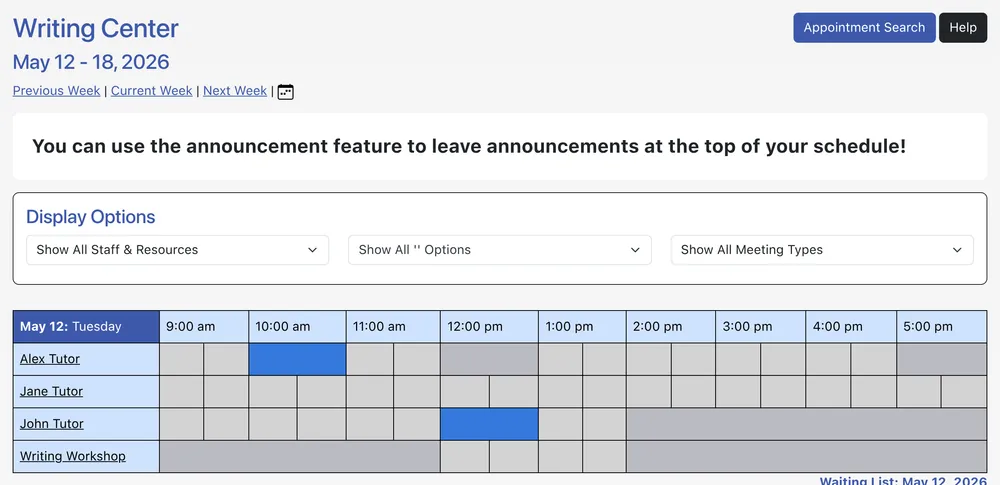
Access, Levels & Schedules — Login, access levels, calendar and standard displays, card readers
Synchronous Online Meetings — The Online Consultation Module and synchronous-meeting troubleshooting
Profile & Communication Options — Per-user preferences and notification settings
Client & Record Management — Search, edit, merge, and mass-import client records
Schedule Management — Add, edit, and configure schedules end-to-end
Staff & Resource Management — Add, edit, and configure staff and resources
Starting Availability Management — Define when staff are available
Blackout Times Management — Create and manage one-off and repeating blackouts
Announcement Management — Announcements on the login page or at the top of schedules
Mass Email Tool — Compose and send center-wide email
Master Listings Report — Comprehensive listing of appointments, waiting list, and time-clock data
System Data Export — Export raw system data for offline analysis
System Statistics Report — Per-form, summary, and graphical statistics
System Utilization Report — Schedule utilization graph and report
Global System Settings — Site-wide configuration: titles, registration, policies, integrations
Form Setup: System Forms — Configure the appointment, client report, and registration forms
Module Setup: Early Alerts & Flags — Configure and use early alerts and flags
Module Setup: Survey — Configure the post-appointment survey
Module Setup: Time Clock — Configure the staff time clock
Frequently Asked Questions — Common questions and step-by-step answers