System Utilization Report
The System Utilization Report provides a graphical display of your center’s used versus available time. In essence, this report shows how busy your center was over a selected date range. It can be customized and limited in a variety of ways, allowing you to produce an overview of your utilized time in the way that is most meaningful to your center.
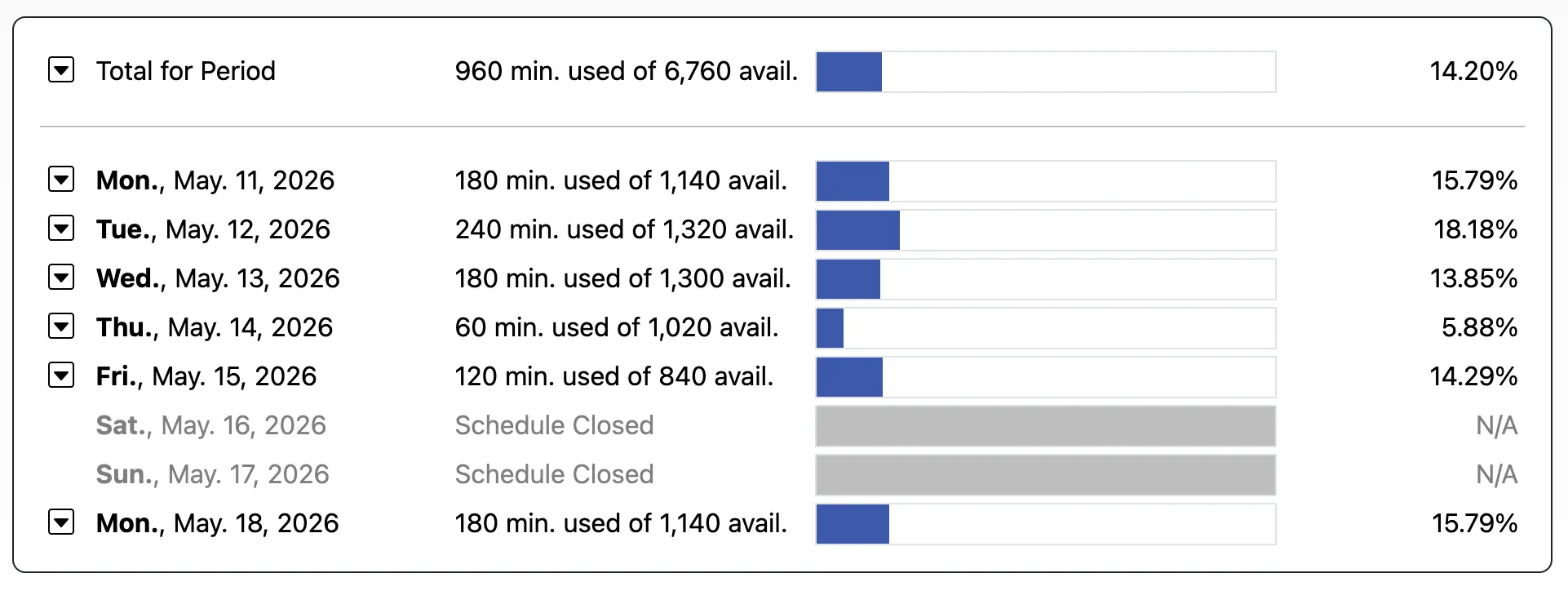
The System Utilization Report is accessed via the “System Utilities & Reports” section of the Welcome menu, and is typically available to full administrators only. Once you access the Report, you will find options for configuring the way that it calculates “used” time, as well as other limits on the Report’s display. At the top of the display, you will find several options for configuring the display and defining “used time,” and, at the bottom, you’ll find the report itself. As with all control panels, be sure to hover over the question mark icons within the control panel for more information about each configuration option.
In order to calculate utilization, the System Utilization Report first calculates the amount of available time that you have on a given day on your schedule. It does this by looking at blocks of time that are not covered in blackouts. Then, it looks at appointments that have been made to calculate the portion of time that was reserved or occupied. In essence, your utilization is the percentage of the available time that was occupied or filled by appointments.